The problem
Take a collaborative editor offline mid-sentence and most of them fall over: either the edit disappears, or you're staring at a merge conflict dialog the second the connection comes back. That's the deal most tools ask you to accept. Lattiq tries to remove it: every keystroke saves locally first, editing keeps working with zero network at all, and when a connection reappears the document reconciles with everyone else's changes automatically, with no conflict resolution screen for the user to sit through.
Architecture
Local-first with IndexedDB
Every keystroke lands in IndexedDB immediately, so the editor has no server dependency for basic editing. Two things follow from that: the page loads instantly because the content is already sitting in the browser, and there's no scenario where a dropped connection loses data, because nothing was waiting on the network in the first place.
Yjs: convergence instead of conflict resolution
Real-time sync runs on Yjs, a CRDT (Conflict-free Replicated Data Type) library. The property that matters is that concurrent edits from different clients are guaranteed to converge to the same result with no central authority adjudicating them. That's a different model from operational transform, the approach Google Docs uses, which needs a server in the loop to resolve conflicting edits. In practice it means two people can edit the same paragraph at the same time, even while one of them is offline, and when they reconnect the changes merge without either side's work getting overwritten.
A WebSocket server that forgets everything
The collaboration server's job is room management and awareness, nothing more. A document ID is the room; clients that open the same document join the same room, and the server relays Yjs update messages between them. It also tracks who's connected and where their cursor is, which is what drives the live presence indicators.
Deliberately, the server holds no document state: it only relays messages between clients. All persistence lives client-side in IndexedDB. That keeps the server stateless and trivially scalable.
Why Lexical
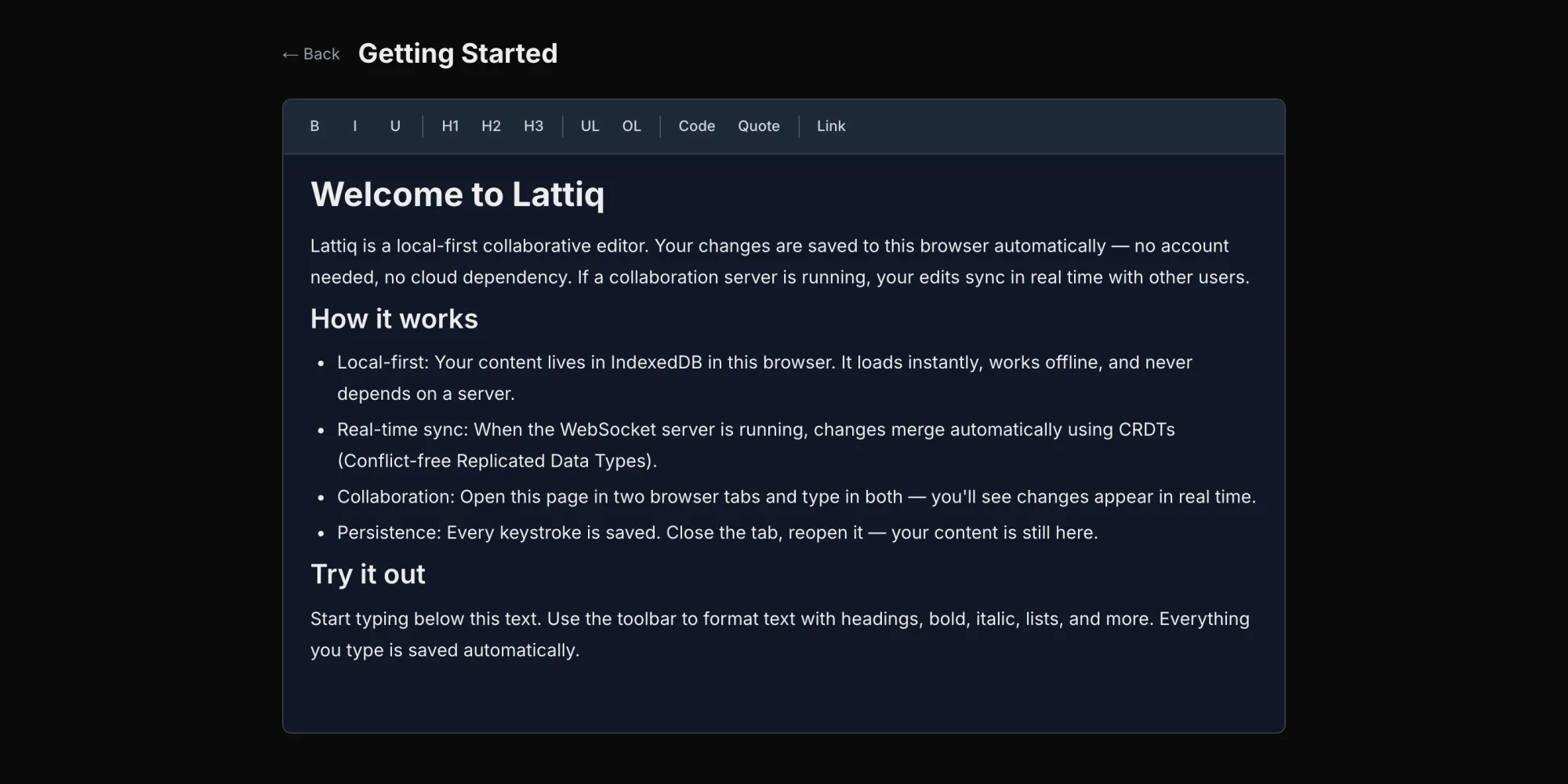
The editor is built on Lexical, Meta's text editor framework, which supplies the content model, selection handling, and undo/redo stack. The toolbar covers headings, bold, italic, underline, lists, code blocks, quotes, and links. Lexical won out over ProseMirror and Slate on a cleaner API, stronger TypeScript support, and React integration that didn't need extra glue.
The hard parts
Wiring Yjs's shared data types into Lexical's internal state was the fiddliest part of the build. Yjs fires events whenever a remote change lands, and those need to be applied to Lexical's editor state without Lexical then telling Yjs to broadcast the very same change back out, which would loop. The fix was a transaction flag that tags an update as local-origin or remote-sync, so the two systems don't talk past each other.
Reconnection was its own problem. When a client comes back online it has to reconcile its local Yjs document with whatever the server has. Yjs handles the core of this natively through state vectors: each client knows what updates it has already seen, so on reconnect it only needs to send what's missing. Keeping IndexedDB's persisted state and Yjs's in-memory state consistent through that handoff, though, took more care than the happy path suggested.
Scale surfaced a third problem. To find out where the editor actually broke, I built a seeding tool that loads entire Gutenberg Project books into it. That exposed visible jank once a document got large: Lexical was rendering paragraphs nowhere near the viewport. The fix was virtualising the render so only visible paragraphs sit in the DOM, while the full document model stays in memory regardless of scroll position.
Outcome
Lattiq puts local-first architecture and real-time collaboration together in a single production-quality editor, and the reason it holds together is that CRDTs remove conflict resolution as a category rather than handling it better: the data structure itself is convergent, so there's nothing left to resolve. Open two tabs, type in both, close one, reopen it. Everything lines up, with no manual step in between.