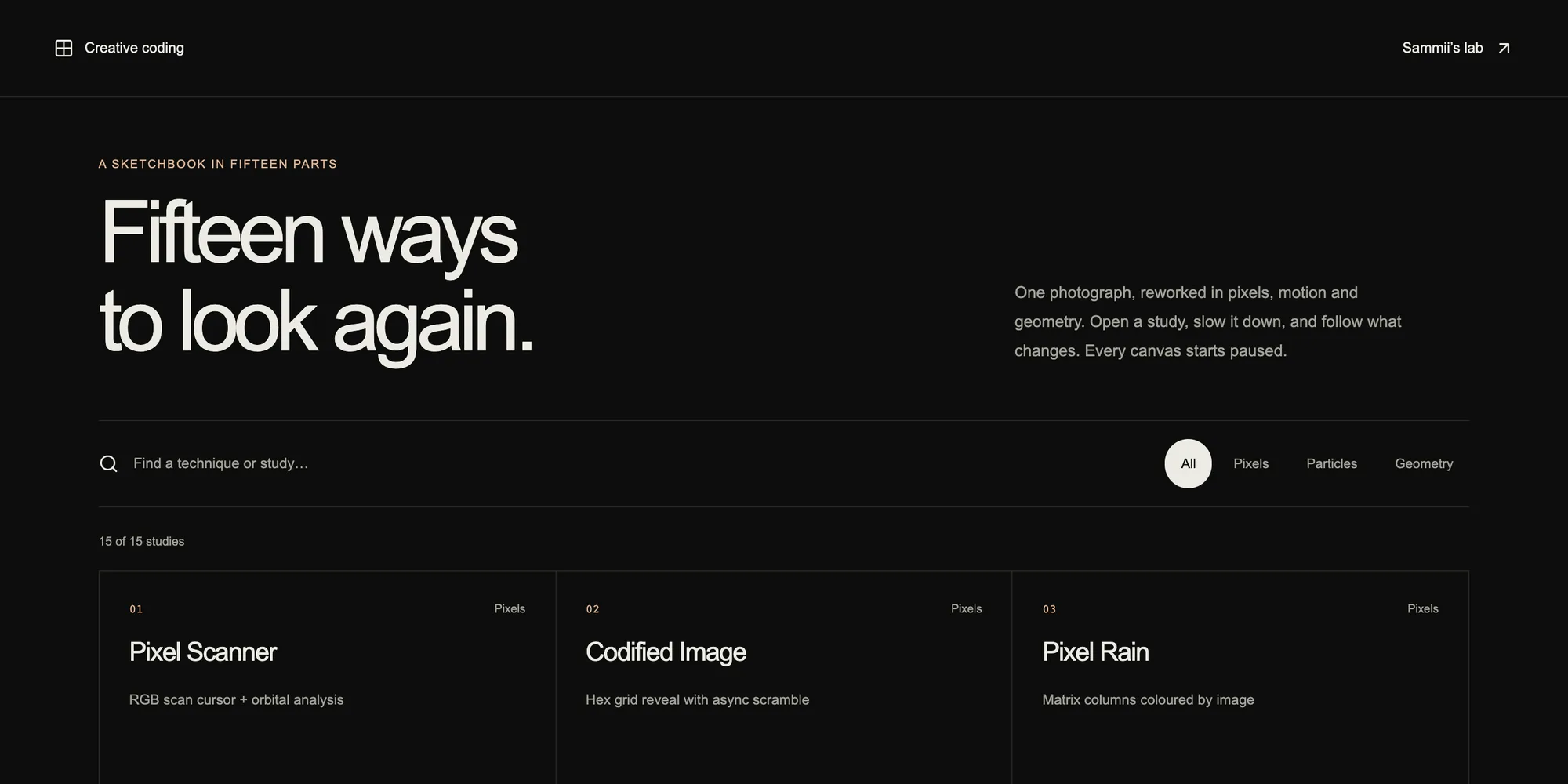
One photograph, fifteen ways
Every study in this collection starts from the same picture: a cream begonia shot on a Fujifilm camera, the file still carrying the camera's DSCF7641.JPG name. Nothing else goes in. Each sketch reads that photograph's pixels and does something different with them: scans it, sorts it, scatters it into particles, finds its edges, grows crystals across it, mirrors it into a kaleidoscope. With one image, the only thing that changes between studies is the idea.
You can open all fifteen at creative-coding.sammii.dev.
I built the first fourteen in a single day in February, each one its own HTML file with p5.js in global mode, and the fifteenth came out of splitting one of them in two. Later I gave the whole set a shared shell, a generated gallery and controls that let you go through a sketch one frame at a time, without changing a line of any sketch's own code.
Reading the photograph
Almost every study opens with the same few lines. The canvas is 900 by 540, and the photograph is fitted inside it like object-fit: contain:
const scale = Math.min(CANVAS_W / img.width, CANVAS_H / img.height);
const drawW = img.width * scale, drawH = img.height * scale;
const offX  = (CANVAS_W - drawW) / 2, offY = (CANVAS_H - drawH) / 2;
Any point on the canvas can then be turned back into a pixel of the original: subtract the offset, divide by the drawn size, multiply by the image size, clamp to the edges, and read four bytes from img.pixels. Most studies sample a grid of cells this way once, in setup, and never touch the full-resolution image again. Brightness, where a study needs it, is the usual weighted sum, r * 0.299 + g * 0.587 + b * 0.114, which gives green the most weight.
Finding edges
Edge Glow builds a grid of 6-pixel cells, 150 across and 90 down, and works out how sharply brightness changes around each one with a Sobel filter. The usual way to write Sobel is two 3×3 kernels of weights. Here the weights come from a rule instead:
const kx = dx * (dy === 0 ? 2 : 1);
const ky = dy * (dx === 0 ? 2 : 1);
gx += l * kx;
gy += l * ky;
For the horizontal kernel, the weight is the neighbour's column offset, −1, 0 or 1, doubled on the middle row. That produces exactly the familiar grid of −1, 0, 1 above −2, 0, 2 above −1, 0, 1, and swapping the roles gives the vertical one. gx measures how fast brightness changes from left to right and gy from top to bottom; the strength of the edge is the length of that vector, sqrt(gx * gx + gy * gy). Cells above a threshold of 28 count as edges. A scan line sweeps across, and as it passes each edge cell powers up with a bright flash and settles into a slow pulse, while everything else stays a faint ghost of the photograph.
Particles on springs
Particle Burst spreads 5,000 particles over a grid, 92 columns by 55 rows, each with a home position and the colour of the pixel beneath it. Very dark pixels are skipped. Then it blows them apart, and each one springs home:
p.vx += (p.hx - p.x) * SPRING_K;
p.vy += (p.hy - p.y) * SPRING_K;

p.vx *= DAMPING;
p.vy *= DAMPING;
With a spring constant of 0.035 and damping of 0.88, the maths of that loop is worth a look. Write the distance from home as e and the velocity as v. One frame turns (e, v) into ((1 − 0.0308) e + 0.88 v, −0.0308 e + 0.88 v). The two numbers that describe that step are its trace, 1.8492, and its determinant, which is just the damping, 0.88. Because the trace squared is less than four times the determinant, the step is a rotation that shrinks: the particle overshoots, swings back, and spirals in. Each frame the swing shrinks by √0.88, about 0.938, so it halves roughly every eleven frames, and a full oscillation takes about 37 frames. A particle let go 100 pixels from home passes it, overshoots by about 31 pixels, comes back by about 9, and settles. That overshoot is the whole feel of the study. Click anywhere and a new burst pushes outwards from the pointer, harder close by.
A flow field
Flow Field drops 4,500 particles on the photograph and moves each one a fixed 2.2 pixels per frame, in whatever direction a Perlin noise field says:
const n = noise(x * FIELD_SCALE, y * FIELD_SCALE, t);
return n * TWO_PI * 2.5 + mouseAngle * mouseBias * 1.2;
A noise scale of 0.0035 means the field changes over about 286 pixels, so neighbouring particles travel together in broad currents. The third argument is time, which advances very slowly, so the currents shift as you watch. Multiplying by two and a half full turns matters: p5's noise values sit mostly near the middle of their range, and mapping them to a single turn would leave most particles heading roughly the same way. The pointer adds a bias towards its own direction from the centre, stronger the further out it is, so moving it tilts the whole field. Each particle eases 5% of the way towards the colour beneath it every frame, so it picks up the photograph as it travels.
Growing crystals
Crystal Growth places 32 seeds at random on a grid of 7-pixel cells and lets them grow until they have claimed the whole image, each cell taking the photograph's colour. It is close to a breadth-first flood fill, with one change:
const idx  = floor(random(min(frontier.length, GROW_RATE * 4)));
const cell = frontier.splice(idx, 1)[0];
A strict breadth-first search takes the oldest frontier cell every time. On a grid where each cell has four neighbours, that grows every seed as a perfect diamond, because every cell the same number of steps away gets claimed together. Picking at random from the oldest 48 instead keeps the growth roughly in order while letting it run ahead in some places and lag in others, and the diamonds turn into ragged, branching shapes. Thin dark lines mark where neighbouring cells belong to different seeds, which makes it read as crystal grains. When the frontier is empty it holds for 1,800 milliseconds and starts again with new seeds.
Sorting pixels
Pixel Sort sorts every column of the photograph, by brightness either way, then red, blue or saturation, one mode per cycle. The sorting happens up front into an off-screen buffer, so the animation does none: a scan line copies the sorted image over the original as far as it has reached, then retreats, and the next mode is prepared while it waits.
A kaleidoscope that closes
The kaleidoscope draws the photograph into wedges, rotating the canvas for each one, clipping to the wedge, and flipping every other wedge:
if (i % 2 === 1) {
  drawingContext.rotate(wedgeAngle);
  drawingContext.scale(1, -1);
}
Rotating by the wedge angle and then flipping maps a point at angle θ to angle w − θ, a reflection across the middle of the wedge. Work round the circle and the seams line up: where an unflipped wedge ends at the photograph's angle w, the flipped wedge beside it starts at w as well. It only closes if the count is even, because the last wedge has to be a flipped one to meet the first. Clicking moves through 6, 8, 10, 12 and 16 segments, all even, so the pattern never shows a seam.
The image also drifts on a Lissajous path, sine across and cosine down at two different rates. When I added it, my note said the path would never repeat. It does, just slowly. The rates are 0.0055 and 0.0083 radians per frame, a ratio of 55 to 83, so both line up again after 55 cycles of one and 83 of the other: 62,832 frames.
Paused by default
Some of these studies flash, so every one now opens paused, and none of that lives in the sketches themselves. Each page loads a shared study-shell.js, which builds the heading, the controls and the navigation, then wraps the sketch's own setup:
window.setup = function () {
  if (studySaturation) window.saturation = studySaturation;
  originalSetup?.call(this);
After the original setup runs, the shell moves the canvas into a stage, makes it focusable and labels it, and calls noLoop(). p5 still draws one frame after setup, so you see the study, still. "Play motion" toggles loop() and noLoop(). "One frame" stops the loop and calls redraw(), which runs draw exactly once: you can step through Particle Burst and watch the spring work frame by frame. The study also pauses when the tab is hidden, and waits for you to play it again.
The keyboard needed some thought, because the sketches only know about the mouse. With the canvas focused, the arrow keys move p5's own mouseX and mouseY 24 pixels at a time, clamped to the canvas, so every sketch that follows the pointer follows the keyboard with no changes. Space plays or pauses, and Enter calls the sketch's mousePressed. When paused, the shell redraws after each key press so you can see what it did.
Wrapping mousePressed fixed a quieter problem. In global mode p5 listens for presses on the whole window, so clicking the Play button would also change the kaleidoscope's segment count. The wrapper ignores any press whose target is not the canvas.
The saturation collision
The first study defines its own helper called saturation(r, g, b). p5's global mode also puts every p5 function on window, including its own saturation, and that binding replaced the sketch's helper. The shell keeps a reference to the study's function before p5 starts and puts it back at the top of setup, as in the excerpt above. A test loads the real vendored p5, runs its actual global binder to reproduce the overwrite, and then checks that the study gets its own function back.
A static, generated gallery
There is no framework and no bundler. The studies are listed once, in studies.json, and a short Node script writes both the gallery page and a study-data.js file that the shell reads for titles and neighbours. Card text is escaped as it goes in. Search and category filters write themselves into the URL, so a filtered view can be shared.
The generated files are committed, and Vercel serves the repository root as it is, with no install and no build. A --check mode of the same script fails if the committed files no longer match the data. A second check makes sure every study page loads the local copy of p5 rather than a CDN, and that the vendored p5 matches the installed package. The check I like most records a SHA-256 hash of every inline sketch script. All the polishing happened around the sketches, and that check fails if any of the fifteen algorithms has changed.
Light and dark
The gallery's original look is a cream page with dark ink, and it now follows the system setting: in dark mode it switches to a warm near-black with off-white ink and a soft peach accent. The canvas stage is black in both. The sketches paint their own black backgrounds, so a light stage would only frame them badly. In dark mode the stage gets a faint edge so it still reads against a page that is nearly the same colour.
Explorations and dead ends
Study 14 began as a depth-of-field experiment: a sharp circle around the pointer, with the rest of the photograph broken into soft bokeh discs that grew larger with distance from it. I split it into two ideas. Bokeh Field kept the discs and turned the effect round, so they bloom as you pass over them; a later commit restored 4,000 dense, overlapping discs and toned the hover down so it felt like a gentle reveal rather than a flash. Bubble Glass took the lens: the photograph magnified 1.38 times inside a circle that follows the pointer, with an iridescent rim that samples the image's own colours and pushes their saturation. A sixteenth study moved out of this collection into a separate shader sketchbook.
The hex grid in study 02 first settled all at once behind its scan line. Giving each cell its own scramble time, between 10 and 50 frames, made the columns settle at different moments, which is what makes it look like data arriving.
What it taught me
Working from one photograph taught me how many different images are already in it: its edges, its brightness order, its colour as a field to flow through. The shell taught me something about the code around a sketch. The best thing I could do for fifteen finished studies was leave them alone, and put the pause button, the keyboard and the gallery around them, with a hash to prove I had.